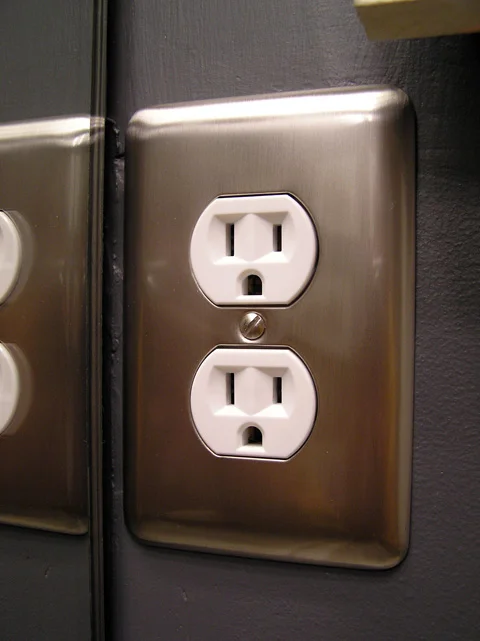
Standard duplex receptacle with a metal wall plate.
Outlets & switches
Standard duplex outlet
The familiar wall receptacle with two plug-in positions. A grounded receptacle has two slots and a ground opening at each position.
Types, warning signs & next steps
What it does
Provides a connection for portable appliances and lamps. The face alone does not confirm wiring condition or available circuit capacity.
Know the differences
Standard, tamper-resistant, decorator-style and specialty receptacles can look similar. A three-slot replacement does not by itself add an equipment grounding conductor.
What you may notice
A plug that will not stay seated, a cracked face, discoloration, unusual heat or intermittent power deserves attention. Stop using a damaged receptacle; do not hold a loose plug in place.
What to tell Guardian
Tell us the room, what was connected and whether other outlets are affected. A photograph of the intact faceplate is enough; leave the cover on.
Further information: Consumer Product Safety Commission
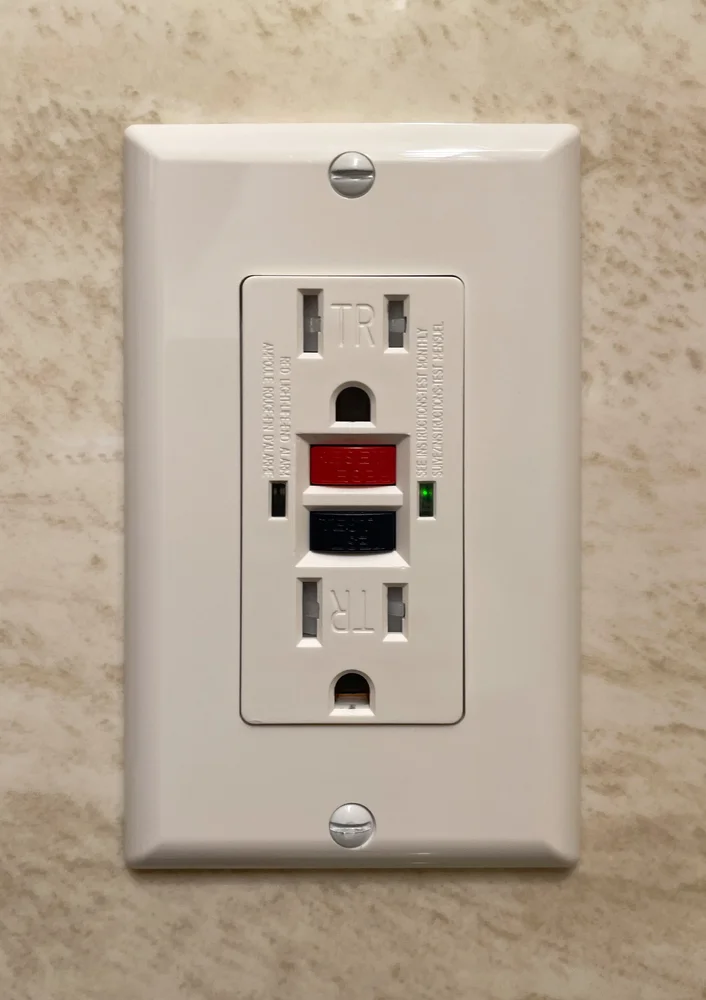
GFCI receptacle with red RESET and black TEST buttons.
Outlets & switches
GFCI / GFI outlet
Often looks like a rectangular receptacle with TEST and RESET buttons between the plug openings. GFI is a common name for GFCI.
Types, warning signs & next steps
What it does
Helps protect people from ground-fault shock hazards. Protection may also come from a GFCI breaker or another upstream device.
Know the differences
Receptacle, breaker and portable forms exist. Weather resistance, tamper resistance and GFCI protection describe different features. Confirm the actual product markings.
What you may notice
Failure to reset, repeated trips or a status indication identified as a fault in the instructions needs evaluation. Indicator colors vary by product; a light alone is not a universal diagnosis.
What to tell Guardian
Note which outlets lost power and whether rain or a particular appliance was involved. Follow the manufacturer’s test instructions; do not repeatedly reset a device that trips.
Further information: Leviton product guidance
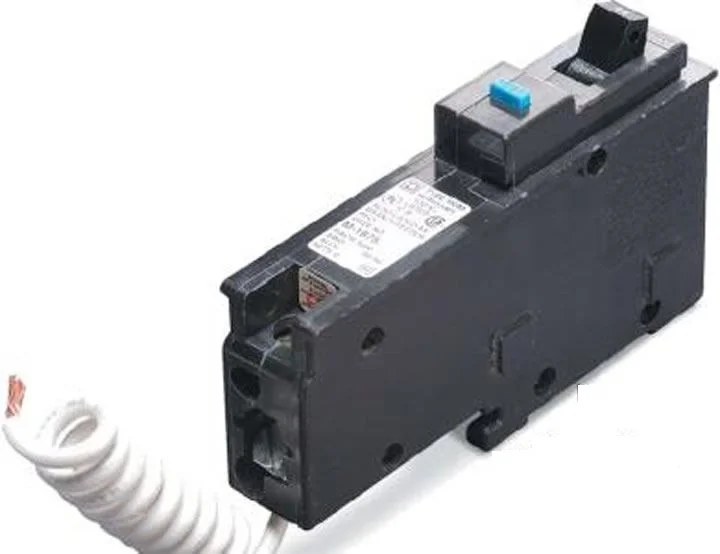
AFCI breaker with a test button and neutral pigtail.
Outlets & switches
AFCI / dual-function protection
May be a breaker with a TEST button or a receptacle with TEST and RESET. Read the printed AFCI or dual-function designation; the button alone does not identify it.
Types, warning signs & next steps
What it does
AFCI protection responds to hazardous arcing conditions. Dual-function equipment combines AFCI and GFCI protection in one device.
Know the differences
AFCI, GFCI and dual-function devices protect against different conditions. A combination-type AFCI is not automatically a dual-function AFCI/GFCI.
What you may notice
Repeated trips need investigation of the circuit and connected equipment. Replacing protective equipment with an unprotected device to stop trips can remove an important safety function.
What to tell Guardian
Record the visible label and any trip indicator without removing covers. Mention recent appliance, lighting or wiring changes.
Further information: Leviton product guidance
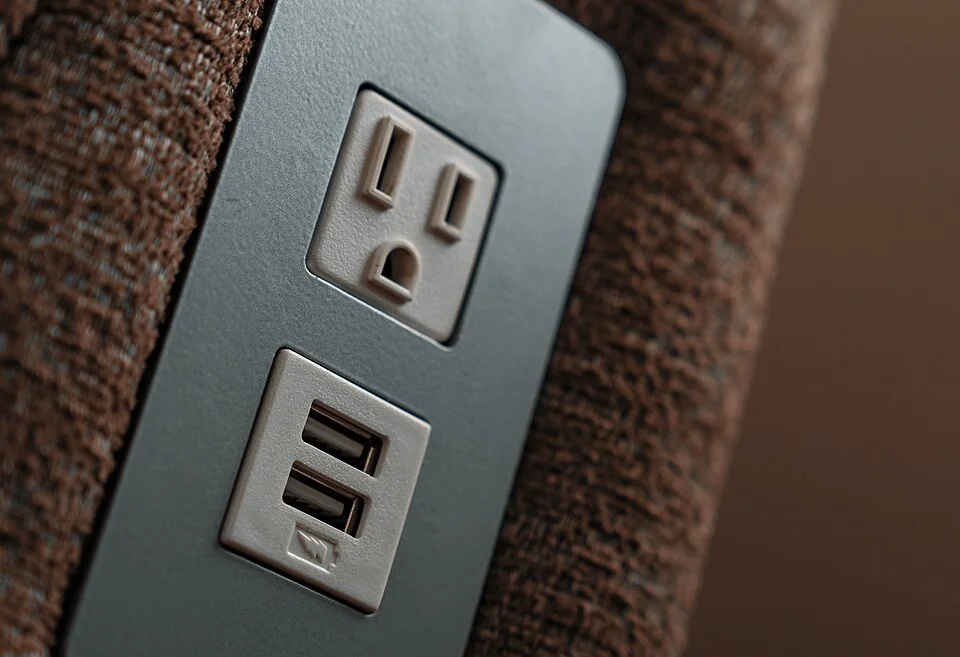
Furniture-mounted power and USB-A outlets; in-wall USB receptacles use a different housing.
Outlets & switches
USB charging outlet
A wall device with small USB-A or oval USB-C charging ports, sometimes alongside normal receptacle openings.
Types, warning signs & next steps
What it does
Supplies low-voltage charging from an integrated power supply. Charging performance depends on the outlet, cable and device.
Know the differences
USB-A, USB-C and USB-C Power Delivery products offer different capabilities. Port shape alone does not establish charging wattage.
What you may notice
A device that charges slowly may have a compatibility limitation. Cracking, scorching, unusual heat or intermittent operation needs assessment rather than another cable experiment at the outlet.
What to tell Guardian
Share the charger-outlet model and the devices you want to charge. Keep the faceplate and device in place.
Further information: Consumer Product Safety Commission
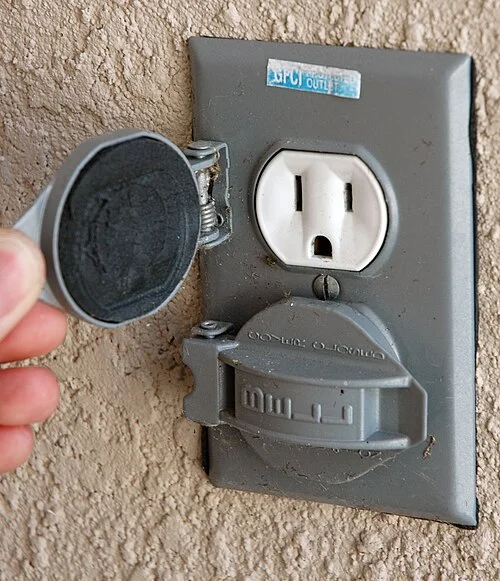
Outdoor outlet with hinged covers. Modern in-use covers differ; suitability depends on the location.
Outdoor & seasonal
Outdoor receptacle & cover
An outdoor outlet often has a hinged cover or deeper in-use enclosure that shields a plugged-in connection.
Types, warning signs & next steps
What it does
Provides a suitable exterior connection when the receptacle, enclosure, protection and installation fit the exposure.
Know the differences
A weather-resistant device and a weatherproof cover are separate components. GFCI protection is another part of the installation.
What you may notice
Broken lids, missing seals, corrosion, moisture inside or trips after rain need attention. Do not use a visibly wet or damaged connection or touch equipment while standing in water.
What to tell Guardian
Tell us whether the outlet serves a porch, yard, holiday display or equipment, and whether the problem follows rain.
Further information: Consumer Product Safety Commission
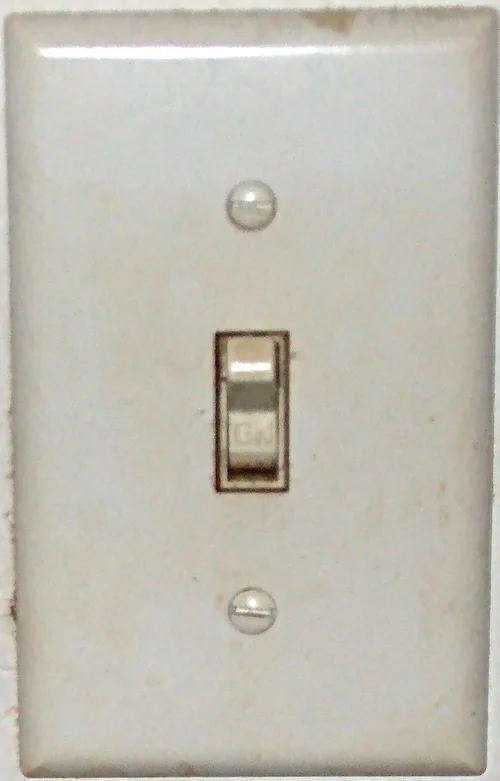
Wall-mounted toggle switch.
Outlets & switches
Toggle light switch
A narrow lever projects from a wall plate. A matching-looking switch may control a light from one location or work with other switches.
Types, warning signs & next steps
What it does
Turns a connected load on and off when selected and installed for that load and circuit arrangement.
Know the differences
Single-pole, three-way and four-way arrangements differ. Three-way means two control locations, not three levels of brightness.
What you may notice
A loose or cracked lever, inconsistent operation, sizzling, discoloration or an unusual smell warrants assessment. A wall switch is not proof a fixture is safe to work on.
What to tell Guardian
Describe how many switch locations control the light and what changed. Do not remove the plate to identify wiring.
Further information: Consumer Product Safety Commission
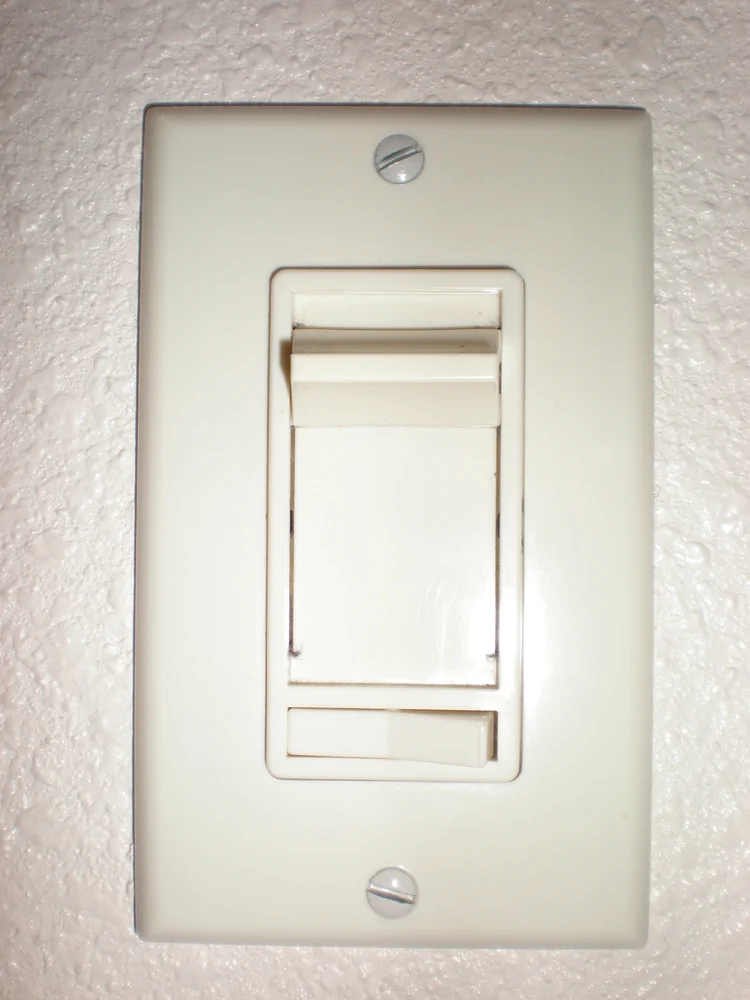
Residential slide dimmer.
Outlets & switches
LED-compatible dimmer
Usually a slider, rotary knob or rocker with a small brightness adjustment. Some versions have an electronic indicator bar.
Types, warning signs & next steps
What it does
Adjusts brightness when the lamp or driver and dimmer are compatible. A lighting dimmer is not a universal motor-speed control.
Know the differences
Forward-phase, reverse-phase and other control methods serve different equipment. Compatibility, load range and multi-location arrangements matter.
What you may notice
Flicker only at low brightness, a delayed start or lights dropping out can point to compatibility or adjustment issues. New heat, odor or crackling needs professional attention.
What to tell Guardian
Send the lamp or fixture model and dimmer model if visible without opening equipment. Note whether flicker affects one lamp or several rooms.
Further information: Leviton dimming guidance
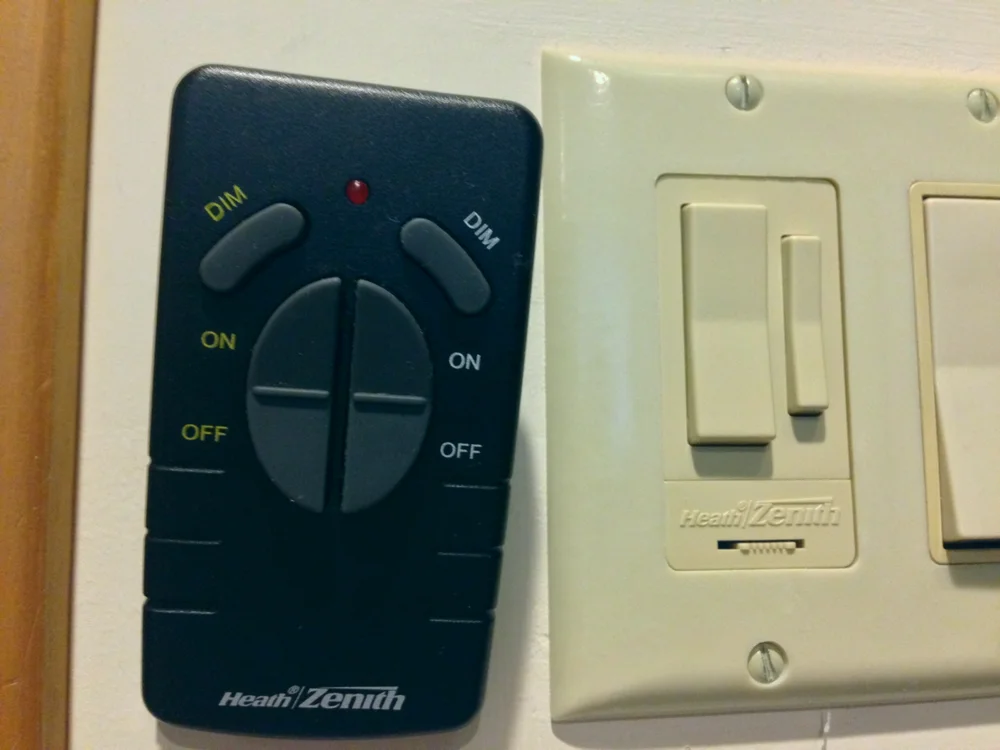
Radio-controlled dimmer and remote, rather than a Wi-Fi model.
Outlets & switches
Smart switch / occupancy control
A wall switch with a status light, sensor lens or app-control features. Some look nearly identical to a standard rocker switch.
Types, warning signs & next steps
What it does
Adds scheduling, occupancy response or remote control to compatible lighting or equipment.
Know the differences
Occupancy controls can turn lights on automatically; vacancy controls commonly require manual-on. Smart switches may depend on a hub, network and particular wiring.
What you may notice
Lost app control is different from loss of electrical power. Lights switching unexpectedly may involve schedules, sensor coverage or configuration as well as hardware.
What to tell Guardian
Tell us the desired behavior, device brand and any existing hub. Never assume a neutral conductor is present based on the faceplate.
Further information: Consumer Product Safety Commission
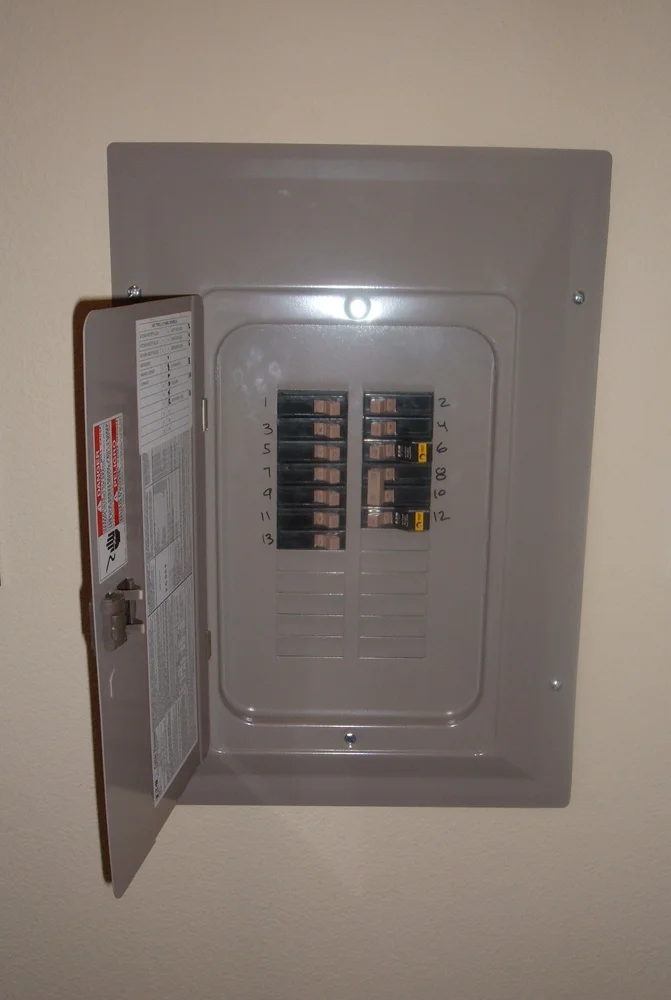
Breaker panel with its outer door open and protective front in place.
Panels & power
Electrical panel / load center
A metal cabinet containing rows of circuit breaker handles behind a protective front. The main disconnect may be here or elsewhere.
Types, warning signs & next steps
What it does
Distributes power into circuits. Its condition, listed equipment and supply arrangement matter as much as the number of empty spaces.
Know the differences
Main-breaker panels, main-lug panels and subpanels have different roles. A panel rating does not establish the complete service capacity.
What you may notice
Missing protective pieces, water marks, corrosion, unusual sounds or repeated circuit problems should be assessed. Do not remove the screwed-on protective front or touch suspect equipment.
What to tell Guardian
Share a safe photograph of the exterior and existing labels. Tell us what you want to add and any utility or inspection notice.
Further information: Eaton equipment guidance
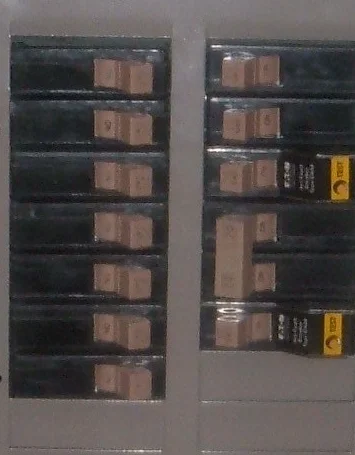
Branch-circuit breaker handles behind the protective panel front.
Panels & power
Branch circuit breaker
A small labeled handle in the electrical panel, sometimes with a TEST button. Some circuits use a linked multi-pole breaker.
Types, warning signs & next steps
What it does
Protects its circuit against overcurrent. It is selected for the circuit and compatible panel, not simply by fitting into an opening.
Know the differences
Standard, AFCI, GFCI and dual-function breakers have different protective features. Brand, series, poles and ratings need to match the intended installation.
What you may notice
A breaker that repeatedly trips is a symptom to investigate. Installing a larger breaker or repeatedly resetting it is not a repair.
What to tell Guardian
Note which rooms or equipment lost power and what was running at the time. Read labels only from a safe position with protective covers in place.
Further information: Eaton equipment guidance
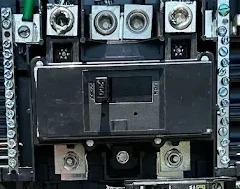
Guardian installation photo: main breaker exposed during professional work. Keep installed panel covers in place.
Panels & power
Main breaker
Often a larger breaker or linked handle marked MAIN in a panel or separate service enclosure. Location varies by property.
Types, warning signs & next steps
What it does
Provides overcurrent protection and a disconnecting means for the equipment it supplies. It may not shut down every energy source at a property.
Know the differences
A main breaker is different from the smaller branch breakers. A main-lug panel may rely on an upstream disconnect.
What you may notice
Widespread power loss, damage or unusual sounds at service equipment can involve more than one branch circuit. Stay clear of heat, arcing, water or damaged equipment.
What to tell Guardian
Tell us whether neighbors are affected and whether the home has solar, a generator or batteries. Do not open the enclosure or attempt service work.
Further information: Eaton equipment guidance
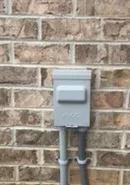
Guardian project: closed outdoor equipment disconnect.
Panels & power
Equipment disconnect
A separate enclosure near equipment, often with an external lever or a closed cover. A small air-conditioning disconnect and a service disconnect are not interchangeable.
Types, warning signs & next steps
What it does
Provides a means of disconnecting the equipment it serves. It is not necessarily the main shutoff for the home.
Know the differences
Fused, non-fused, breaker and other listed arrangements serve different purposes. Exterior appearance alone does not establish ratings or what remains energized.
What you may notice
Corrosion, a broken cover, loose mounting, water entry or signs of overheating need evaluation. Do not open or operate damaged equipment to investigate.
What to tell Guardian
Identify the equipment it serves and provide any manufacturer or inspection paperwork. Keep the enclosure closed.
Further information: Eaton equipment guidance
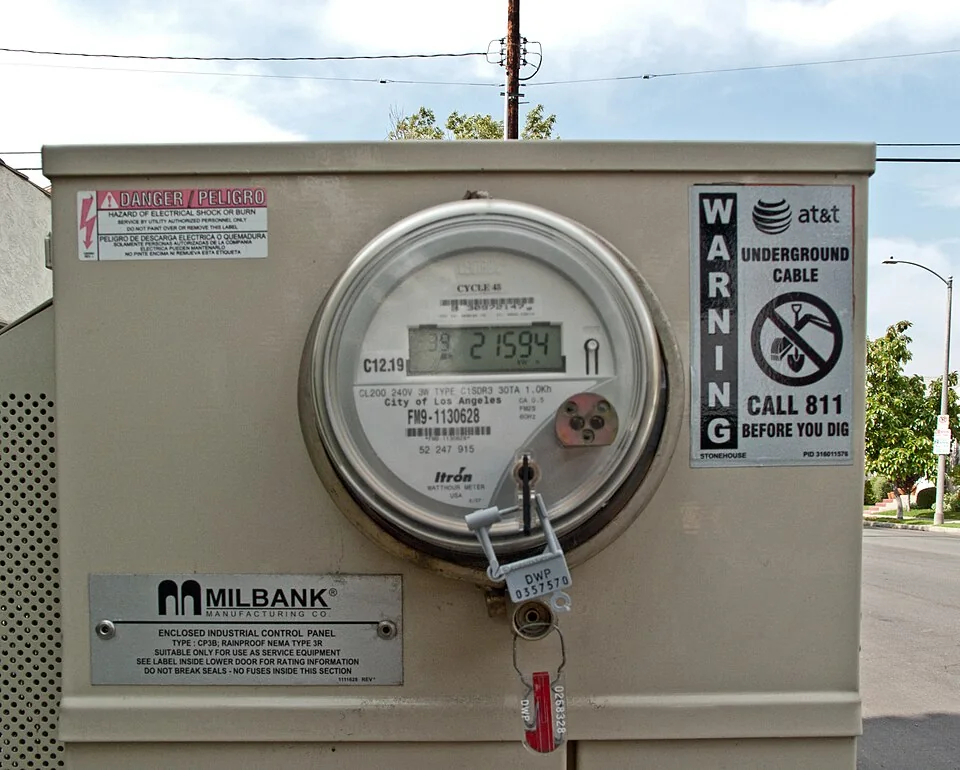
Digital utility meter; equipment and ownership vary by provider.
Panels & power
Electric meter & meter base
A utility meter commonly has a round face or display attached to a weather-exposed meter enclosure. Some installations combine meter and disconnect equipment.
Types, warning signs & next steps
What it does
The meter records electricity use. The supporting socket and service components have ownership and work responsibilities set by the actual utility arrangement.
Know the differences
Overhead and underground services have different routing. A meter-main combination includes additional equipment; its appearance does not prove available capacity.
What you may notice
Loose mounting, storm damage, damaged service conductors or water entry require safe coordination. Stay away from downed lines and do not remove a meter or seal.
What to tell Guardian
Share the electric provider and any notice already received. Billing and neighborhood-outage questions go to the utility.
Further information: Santee Cooper service guidance
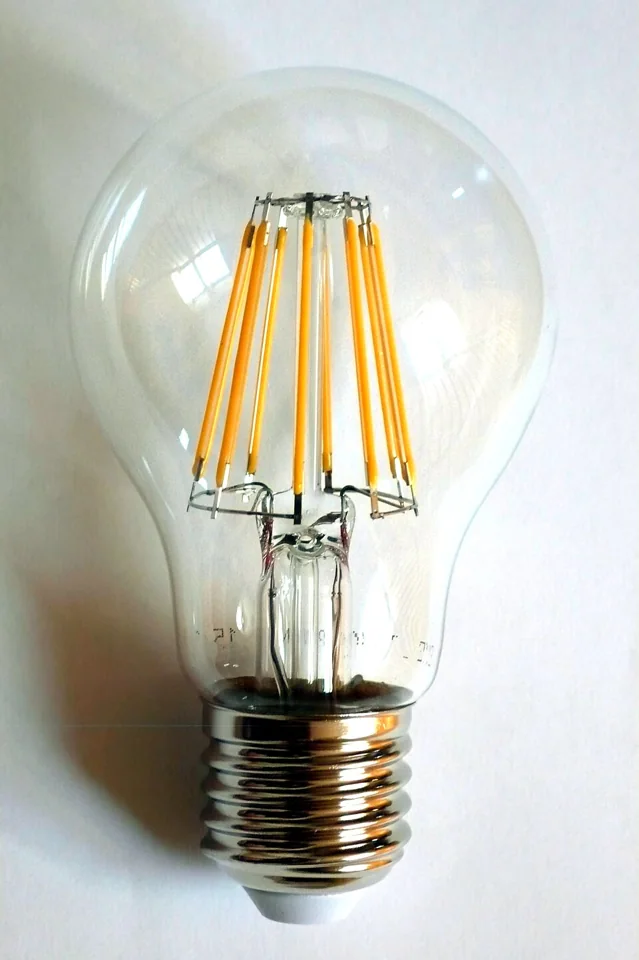
Clear filament-style LED bulb.
Lighting & fans
LED bulb
A screw-in lamp may look like a traditional bulb, a flood lamp or a decorative candle. The package lists lumens, watts and color temperature.
Types, warning signs & next steps
What it does
Produces light using LEDs. Lumens describe brightness; watts describe electrical power, so watt-equivalent wording is not the actual consumption.
Know the differences
Choose the base, shape, dimmability and suitability for enclosed fixtures or damp locations. Warm and cool color appearances serve different preferences.
What you may notice
Early failures or flicker can involve the bulb, fixture, heat or control compatibility. Several lights brightening and dimming unexpectedly may need circuit or supply troubleshooting.
What to tell Guardian
Share the bulb and fixture model, where the light is used and whether a dimmer is present.
Further information: U.S. Department of Energy
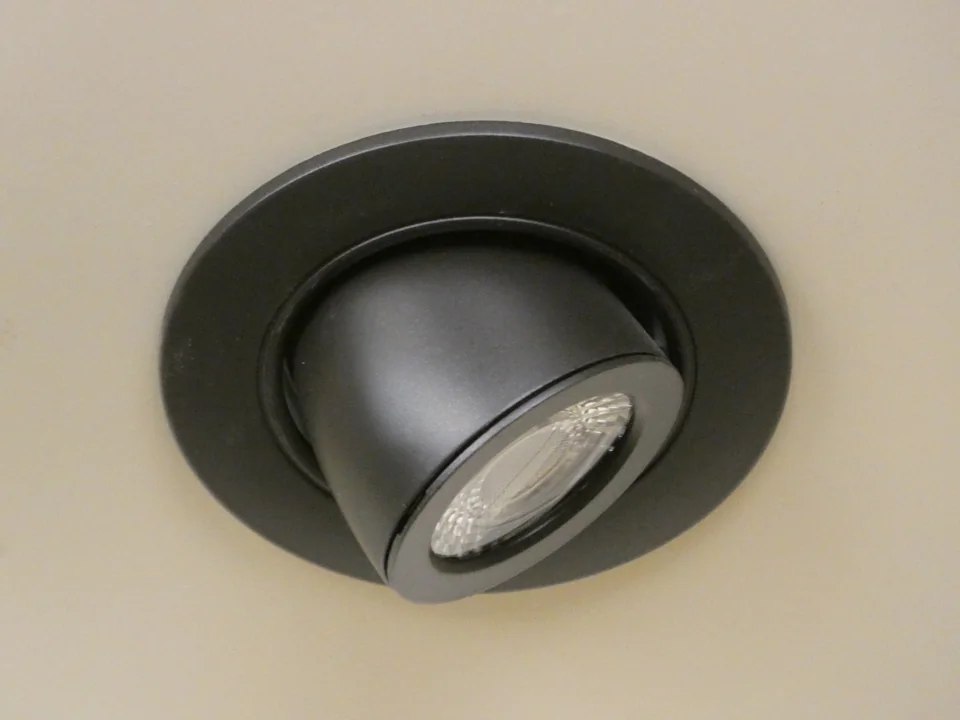
Adjustable recessed light in a store display.
Lighting & fans
Recessed / wafer light
A round or square light appears nearly flush with the ceiling. A traditional recessed housing and a thin canless fixture can look similar from below.
Types, warning signs & next steps
What it does
Provides room, task or accent light with the light source set into or close to the ceiling plane.
Know the differences
Fixed, adjustable and retrofit styles differ. Ceiling conditions, insulation contact, location rating and driver access influence product selection.
What you may notice
Repeated cycling, flicker, a dark fixture among matching lights or damaged trim can have different causes. Replacing only the visible part may not solve a driver or wiring issue.
What to tell Guardian
Tell us the ceiling height, whether several lights are affected and any recent lamp or dimmer change.
Further information: U.S. Department of Energy
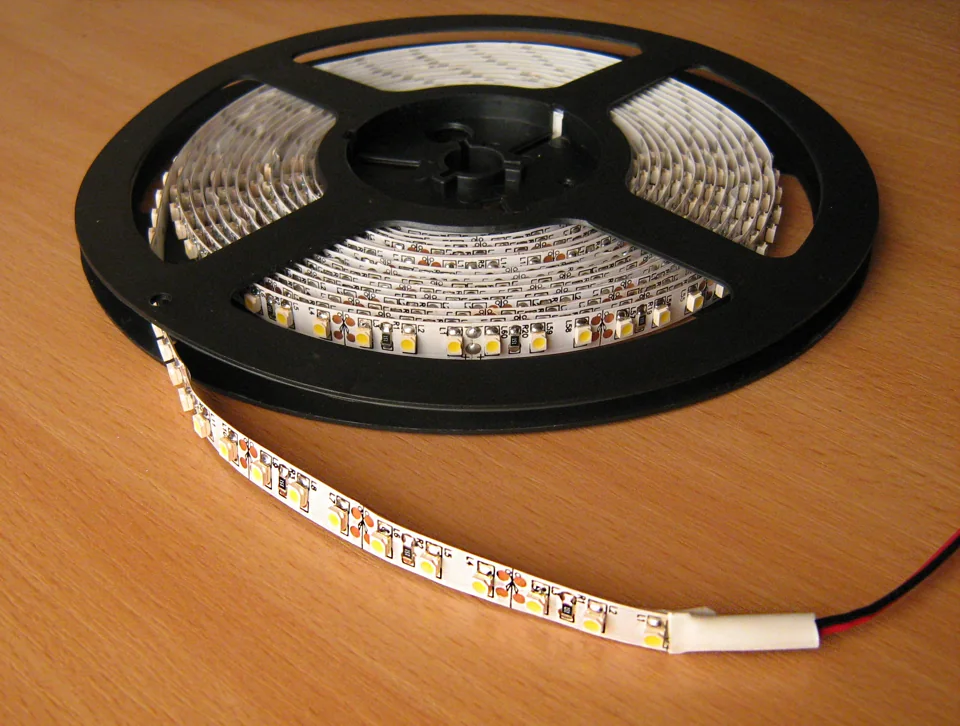
LED strip lighting before installation.
Lighting & fans
LED tape / under-cabinet light
A slim bar, small puck or flexible strip of LEDs mounted under cabinets or along an architectural feature.
Types, warning signs & next steps
What it does
Adds task or accent light; many systems include a separate power supply or driver matched to the lighting.
Know the differences
Plug-in and hardwired systems differ, as do voltage, connectors, dimming and moisture ratings. Similar-looking strips are not automatically compatible.
What you may notice
Dark sections, uneven brightness, color changes or flicker may involve the strip, connections, driver or controls. Do not substitute an arbitrary power supply.
What to tell Guardian
Share the existing product label and approximate run length if readily accessible. Describe whether you want work-surface light or decorative glow.
Further information: U.S. Department of Energy
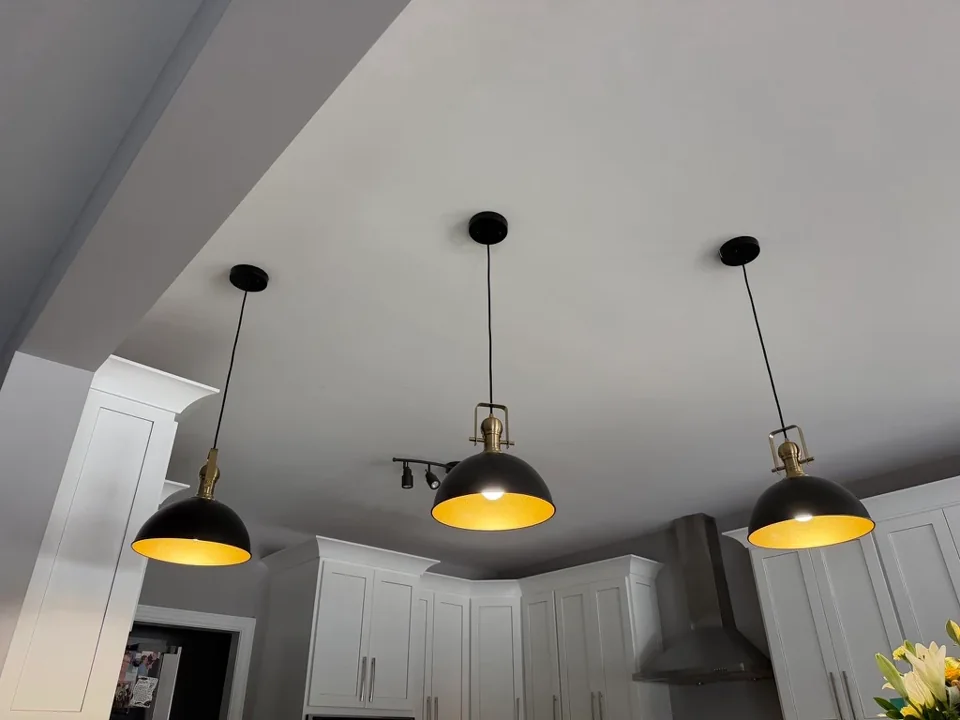
Guardian pendant-lighting project.
Lighting & fans
Pendant / chandelier
A fixture suspended from the ceiling by a stem, chain or cable. A chandelier carries multiple lamps or decorative components.
Types, warning signs & next steps
What it does
Provides decorative, general or focused light, with electrical and mounting requirements specific to the fixture.
Know the differences
Weight, ceiling slope, mounting support, assembly and dimming need review. A light box is not automatically suitable for every heavy fixture.
What you may notice
Sagging, loose support, broken sockets, intermittent lamps or scorch marks merit assessment. Keep people away from a fixture that appears insecure.
What to tell Guardian
Send the product dimensions, weight and ceiling height for a new installation. Photograph the existing fixture from the floor.
Further information: Consumer Product Safety Commission

Landscape lighting along a walkway and home exterior.
Outdoor & seasonal
Landscape / security light
A path light on a stake, an adjustable floodlight or a wall-mounted fixture with a motion sensor.
Types, warning signs & next steps
What it does
Illuminates paths, property features or an exterior area. Low-voltage landscape systems and line-voltage floodlights need different planning.
Know the differences
Beam shape, aiming, exposure rating, switching and neighboring windows matter. Brightness alone does not guarantee useful coverage.
What you may notice
Water entry, corrosion, loose fixtures, repeated trips or unexpected operation should be checked. A dark light may have a lamp, control, supply or cable issue.
What to tell Guardian
Describe the location, when the issue occurs and whether it follows rain. Leave buried cables and protective covers undisturbed.
Further information: Consumer Product Safety Commission
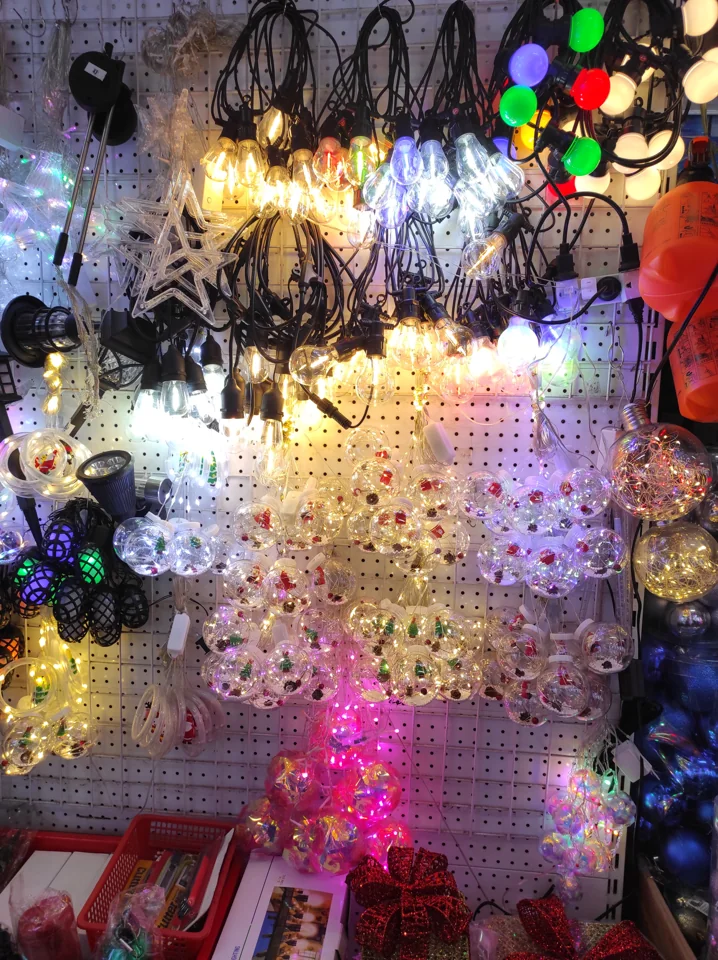
Seasonal light strings; check the product label for outdoor suitability.
Outdoor & seasonal
Christmas / seasonal light strings
A flexible string of mini lights, larger decorative bulbs or icicle-style drops, commonly with a fused plug.
Types, warning signs & next steps
What it does
Provides temporary decorative lighting. Seasonal strings have different installation and product requirements from permanent roofline systems.
Know the differences
Indoor-only and outdoor-rated sets are not interchangeable. LED and incandescent strings have different loads and connection limits.
What you may notice
Cracked insulation, damaged sockets, missing plug parts, hot connections or rain-related trips are reasons to stop using the affected set. Do not bypass protective equipment.
What to tell Guardian
Read the set’s labeling for connected-string limits and intended location. Ask about a properly planned exterior outlet instead of relying on permanent extension-cord routing.
Further information: Consumer Product Safety Commission
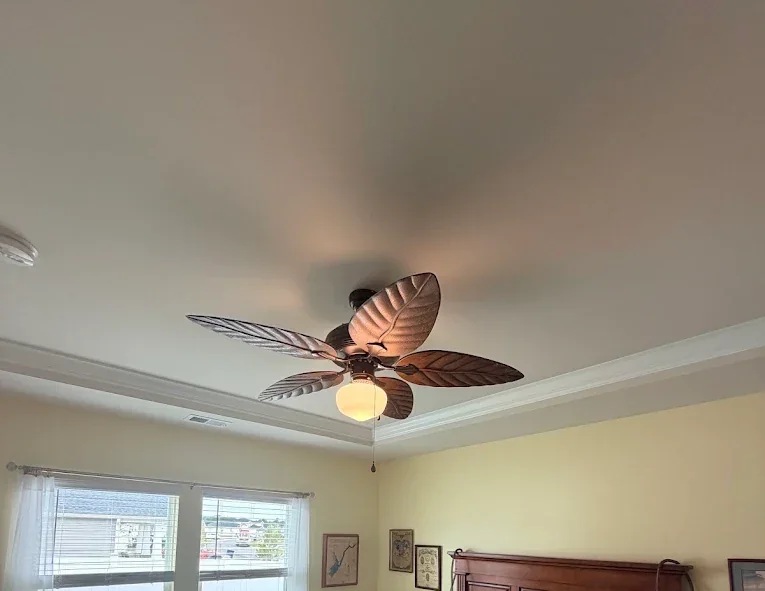
Guardian ceiling-fan project.
Lighting & fans
Ceiling fan
Blades surround a motor mounted at the ceiling, sometimes with a light below. A short downrod, flush housing, pull chain or wall remote can help identify the style; none reveals whether the hidden support is suitable.
Types, warning signs & next steps
What it does
Moves room air for comfort. The light and motor may use separate controls, and a fan needs support designed for its weight and movement.
Know the differences
Flush-mount and downrod fans suit different clearances. Indoor, damp-rated and wet-rated models serve different locations. Remote, smart and wall controls must be compatible with the selected fan.
What you may notice
New wobbling, scraping, unusual noise, intermittent operation or a light that flickers deserve attention. A fan that hums but will not turn can have several causes. Stop using a visibly loose or damaged fan rather than trying different speeds to make it settle.
What to tell Guardian
Share the model, ceiling height, control type and whether the fan or only its light is affected. Photograph from the floor; do not remove the canopy or climb to inspect wiring.
Further information: U.S. Department of Energy
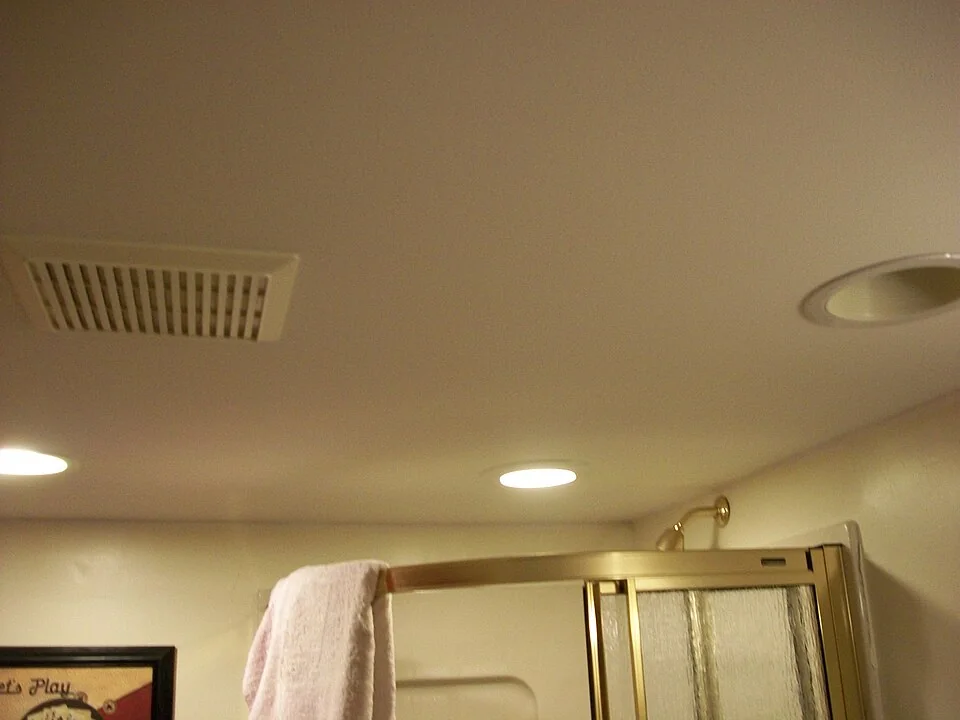
Bathroom exhaust grille; the motor and duct are concealed.
Lighting & fans
Bathroom exhaust fan
Usually a grille in the bathroom ceiling or wall, sometimes surrounding a light. Its motor connects to an exhaust route above or behind the finished surface; the visible grille does not show where the air goes.
Types, warning signs & next steps
What it does
Removes moist or stale room air through a suitable outdoor exhaust route. Electrical power, controls and the air path all affect the result.
Know the differences
Fan-only, fan/light and fan/heater combinations have different electrical demands. Humidity sensors and timers add control choices. Airflow, sound rating and duct compatibility matter alongside grille size.
What you may notice
Persistent moisture, rattling, slow starting or a running fan that moves little air may involve the fan, duct or outside termination. A new motor alone may not solve a blocked or unsuitable air path. Stop using equipment with burning odor or visible damage.
What to tell Guardian
Describe noise, room conditions and whether the light or fan works. Share the model if already available and mention attic access. Guardian can define electrical work and any separate duct or finish work.
Further information: Broan-NuTone guidance · Broan-NuTone guidance
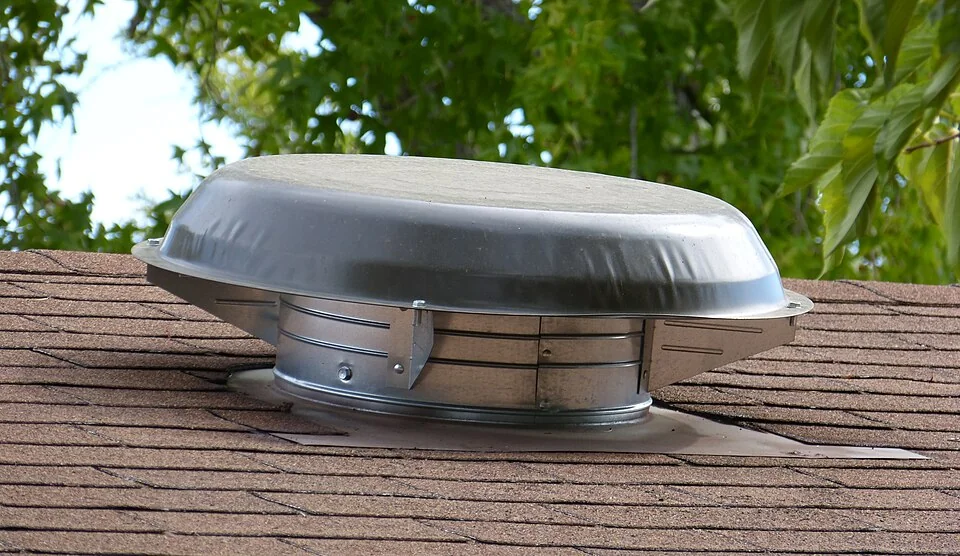
Exterior cap of a powered attic ventilator.
Lighting & fans
Powered attic ventilator
A powered attic ventilator may sit behind a gable grille or under a roof-mounted cover. It is different from a whole-house fan that draws air from living rooms through a ceiling opening.
Types, warning signs & next steps
What it does
Moves air through the attic as part of a ventilation arrangement. Intake openings, controls and the building itself must be considered with the motor.
Know the differences
Roof and gable units use different mounting arrangements. Models may use electrical or solar power and temperature or humidity controls. They are not interchangeable with bathroom or whole-house fans.
What you may notice
New vibration, repeated starting and stopping or failure to run under its expected control conditions can signal a problem. A hot attic alone does not prove the fan has failed. Water staining near roof equipment also needs the roof and flashing assessed.
What to tell Guardian
Share any known model and control settings, when the behavior occurs and whether roof work was recent. Stay off the roof and avoid entering an unsafe attic to identify equipment.
Further information: Broan-NuTone guidance
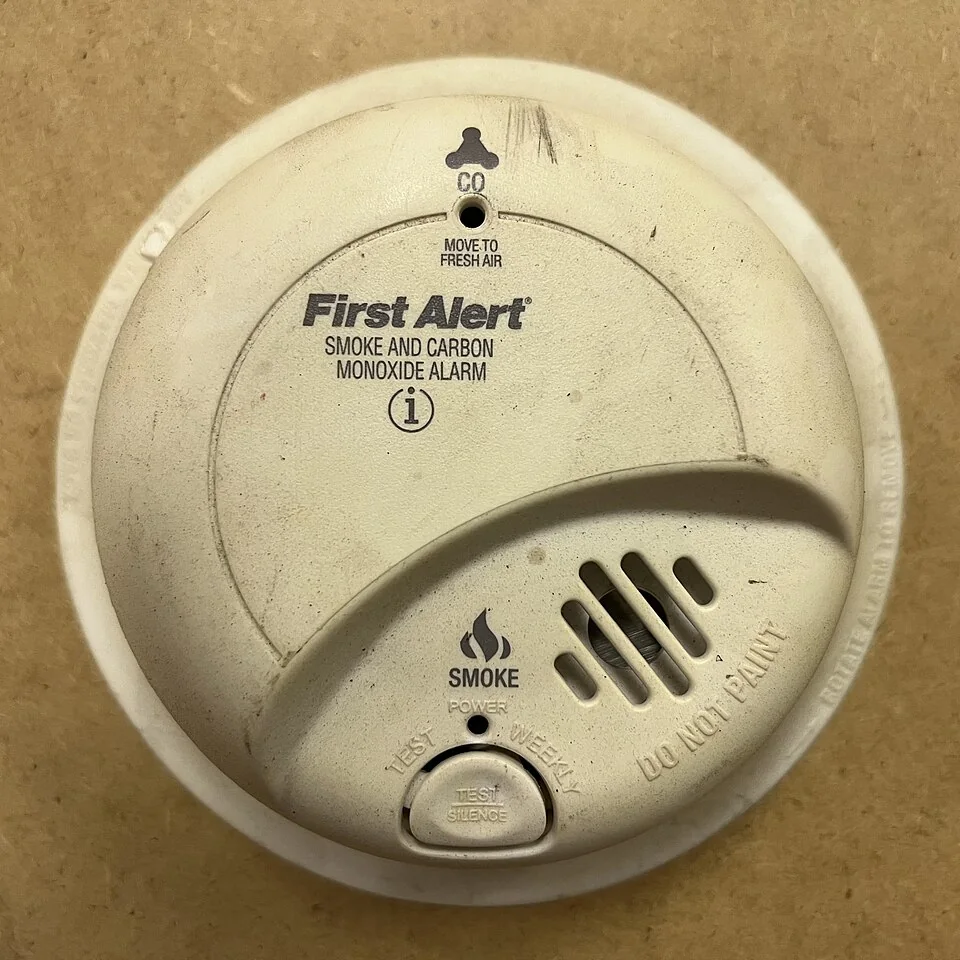
Combination smoke and CO alarm; age and condition cannot be confirmed from a photo.
Safety & protection
Smoke and carbon monoxide alarms
Often round or rectangular ceiling or wall devices with a test button, openings and indicator lights. Read the visible label: a smoke alarm does not necessarily detect carbon monoxide, and a combination unit should identify both functions.
Types, warning signs & next steps
What it does
Warns occupants about the hazard the device is designed to detect. Smoke and carbon monoxide require different sensing functions, even when combined in one housing.
Know the differences
Smoke-only, CO-only and combination alarms may use batteries or building power with backup. Interconnection can make compatible alarms sound together. A commercial fire alarm system is a different arrangement.
What you may notice
Treat a smoke or CO alarm as an emergency: leave for fresh air and call 911 from outside. A periodic chirp can mean battery, fault or end-of-life information, but patterns vary by model. Never assume a sounding alarm is harmless because nothing is visible or smells unusual.
What to tell Guardian
After immediate danger is addressed, share the model, age if known and displayed message. Follow the manufacturer's maintenance guidance; do not disable alarms to stop the sound. Guardian can assess electrical supply and replacement compatibility.
Further information: Kidde alarm guidance · Kidde alarm guidance
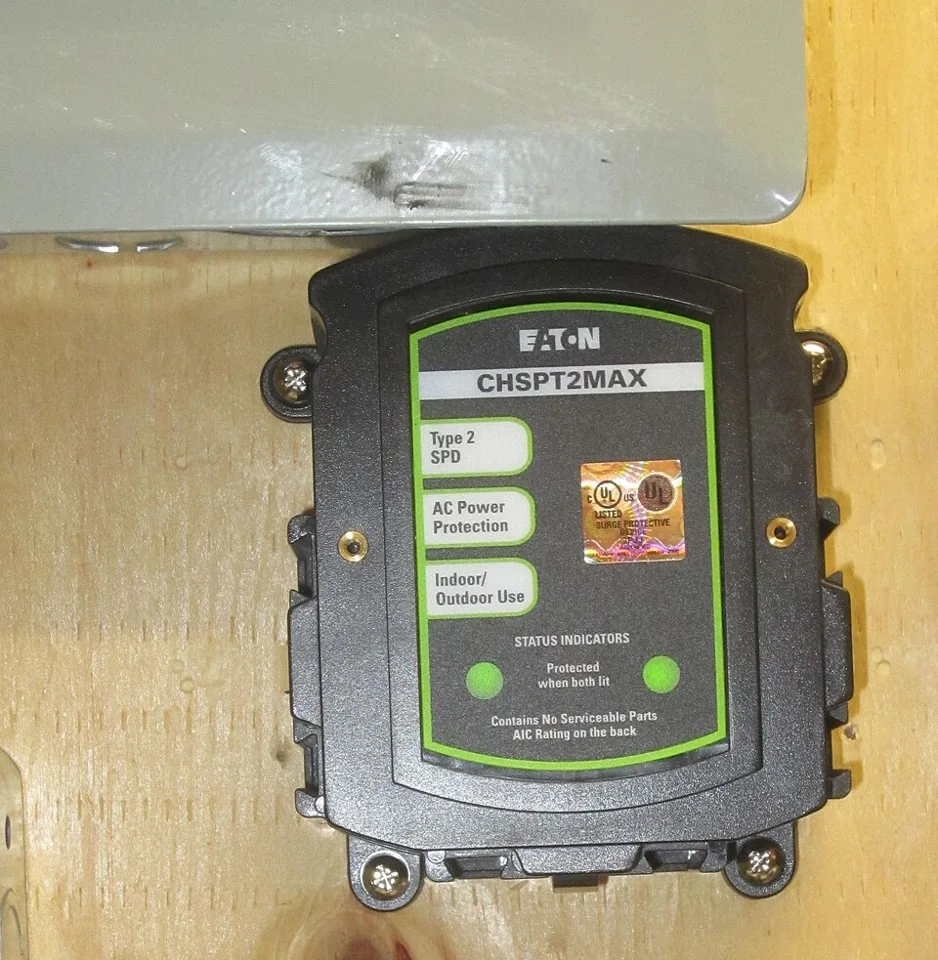
Whole-home surge protective device shown for identification.
Safety & protection
Whole-home surge protective device
May be a labeled module at the electrical panel, a device mounted beside it or protection integrated into compatible equipment. Status lights can be visible, but a closed panel's appearance alone does not establish whether surge protection is installed.
Types, warning signs & next steps
What it does
Helps limit transient voltage surges reaching equipment. It does not replace circuit-breaker protection, correct every voltage problem or keep appliances powered during an outage.
Know the differences
Service or panel protection and point-of-use protection serve different positions in a system. A power strip is not automatically a surge protector. Product ratings and installation requirements matter.
What you may notice
A changed indicator, fault message or visible damage warrants checking the exact product instructions and arranging assessment. Indicator colors vary. Appliances failing after a storm do not by themselves prove that a surge protector failed or that the original problem was a surge.
What to tell Guardian
Send a safe exterior photo of the label and indicator plus the event timeline. Leave panel covers in place. Ask which equipment the proposed protection covers and what any manufacturer warranty actually includes.
Further information: Leviton product guidance · Leviton product guidance
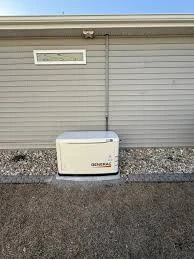
Compact Generac standby generator; sizing requires a load review.
Backup & connected systems
Home standby generator
An enclosed engine unit permanently located outdoors, typically connected to fuel and transfer equipment. Its cabinet differs from a wheeled portable generator. A wall display or app may show readiness, running status or a fault.
Types, warning signs & next steps
What it does
Produces electrical power when the arranged backup system calls for it. Capacity, selected loads, fuel supply and transfer equipment determine what the home can operate.
Know the differences
Permanent standby systems and portable generators require different arrangements. Whole-home and selected-circuit plans describe the intended loads; the generator's size and load-management design still need review.
What you may notice
Missed exercise cycles, fault messages, unexpected shutdowns or a running engine without expected house power need assessment. Generator exhaust contains carbon monoxide. If a CO alarm sounds, get everyone outside and call 911. Portable generators must never operate indoors or in a garage.
What to tell Guardian
Share the model, displayed fault, service history and which loads are affected. Do not open energized equipment or experiment with connections. Electrical transfer work and engine or fuel maintenance should be identified in the service scope.
Further information: www.generac.com · Consumer Product Safety Commission
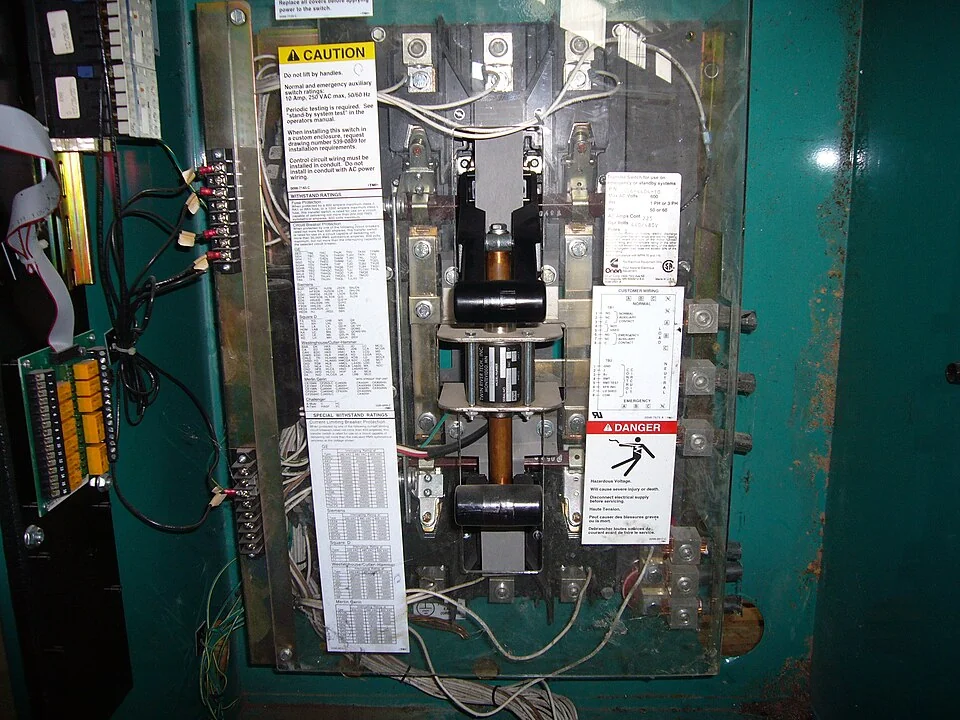
Automatic transfer switch with enclosure open for the reference photo. Installed equipment should remain closed.
Backup & connected systems
Generator transfer switch
A labeled electrical enclosure near service or distribution equipment, sometimes with a visible operating handle or status display. It can resemble another panel. The label and installed system, not cabinet size, identify its role.
Types, warning signs & next steps
What it does
Selects the approved supply arrangement for backed-up circuits and separates sources as designed. It is a key part of safely connecting backup power to building wiring.
Know the differences
Automatic and manual transfer equipment serve different systems. Selected-circuit and service-level arrangements have different scopes. A suitable interlock arrangement is another design option, not an interchangeable switch accessory.
What you may notice
Backup equipment running without the expected circuits receiving power, an unusual transfer delay or a displayed fault deserves professional review. Those symptoms can involve controls, supply or the generator itself. Do not force a handle, bypass protection or feed a home through an ordinary receptacle.
What to tell Guardian
Provide exterior equipment labels, generator details and which circuits you expected to run. Keep covers closed. Guardian can review compatibility, load planning and the electrical transfer arrangement before recommending changes.
Further information: www.generac.com · support.generac.com

EV connected to a charging station. Home units may use different enclosures and connectors.
Backup & connected systems
Electric vehicle charging equipment
Usually a wall-mounted unit or cordset with a vehicle connector, cable and status indicator. Some plug into a receptacle; others are hardwired. The connector shape alone does not establish available charging power or circuit capacity.
Types, warning signs & next steps
What it does
Supplies controlled power to the vehicle for charging. The vehicle, equipment settings and electrical installation together determine the achievable charging rate.
Know the differences
Home AC Level 1 uses a compatible 120-volt arrangement; AC Level 2 generally uses 240 volts. Connector compatibility, hardwired versus plug-in installation and load management need to match the actual vehicle and property.
What you may notice
Interrupted charging, repeated protective-device trips, damaged cables, discoloration or unusual heat deserve assessment. Slow charging can also reflect vehicle settings, scheduling or equipment limits. Stop using visibly damaged equipment; do not substitute an extension cord or adapter to work around an unsuitable supply.
What to tell Guardian
Share the vehicle, charging-unit model, fault message and intended parking location. Note whether the issue affects one car or several. An empty panel space alone does not confirm capacity for a new charger.
Further information: afdc.energy.gov · afdc.energy.gov
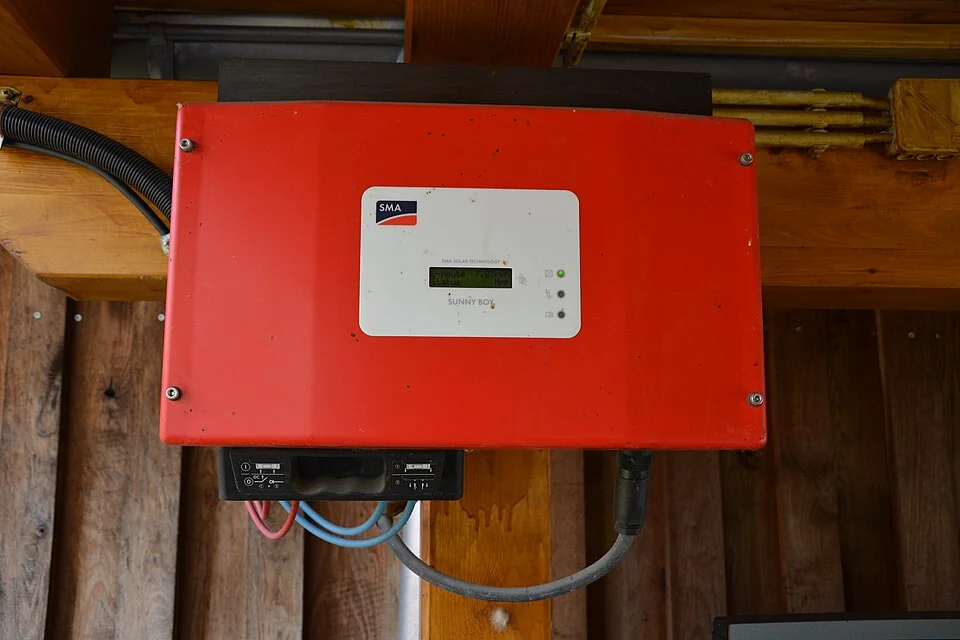
Wall-mounted solar inverter; displays and connections vary by model.
Backup & connected systems
Solar inverter
May be a labeled wall-mounted enclosure near electrical equipment; other systems use smaller inverters at individual solar panels. Roof panels alone do not show which arrangement is present. Status may be displayed on the unit or monitoring app.
Types, warning signs & next steps
What it does
Converts solar-generated direct current into alternating current for the electrical system. Its controls and approved connection determine how the system interacts with the building and utility.
Know the differences
String inverters, panel-level microinverters and hybrid inverter systems use different designs. Solar production alone does not establish outage backup; backup requires the appropriate equipment and operating arrangement.
What you may notice
Fault messages, an unexpected extended production loss or damaged exterior equipment need investigation. Weather, shade and monitoring communication can affect reported output. A loss of app data is not proof the array has stopped producing. Keep away from damaged solar wiring and equipment.
What to tell Guardian
Share the inverter model, installer records, app message and when output changed. Stay off the roof and do not open disconnects or inverter cabinets for inspection. Guardian can establish the electrical scope and coordination required.
Further information: U.S. Department of Energy · U.S. Department of Energy

Tesla Powerwall 2 home battery example.
Backup & connected systems
Home battery storage system
A substantial wall-mounted or floor-standing cabinet with manufacturer branding and status information. It may be near separate control or inverter equipment. A battery-shaped enclosure does not tell you which circuits it backs up or for how long.
Types, warning signs & next steps
What it does
Stores electrical energy for the system's planned use. Backup duration depends on usable stored energy, charge level, connected loads and the approved operating configuration.
Know the differences
Systems can integrate with solar or charge according to their permitted design. Selected-load and broader backup arrangements differ. Energy capacity and power output describe different capabilities and should be discussed separately.
What you may notice
Repeated alerts, unexpected reserve depletion or selected loads failing during an outage merit review of settings and equipment. Runtime changes with the loads used. If equipment smokes, gives off an unusual strong odor or shows serious damage, move away and contact emergency services.
What to tell Guardian
Provide the model, alert and loads you expect to support, using existing records or app information. Leave cabinets closed. Guardian can review electrical integration and identify any manufacturer support or specialist service needed.
Further information: U.S. Department of Energy · U.S. Department of Energy
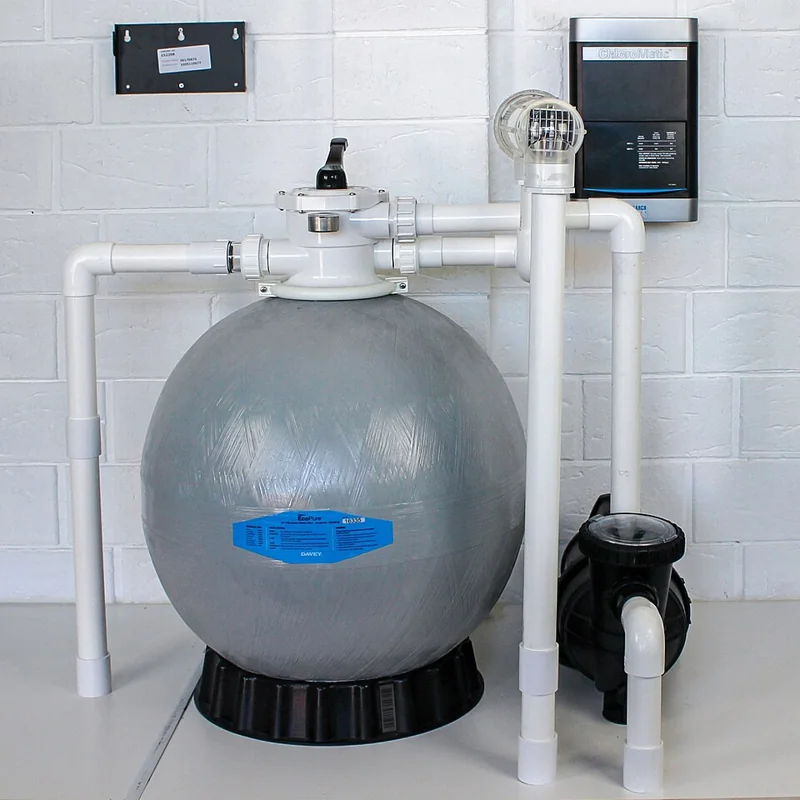
Pool equipment with a chlorinator controller at upper right. Pool and spa automation panels serve other functions.
Backup & connected systems
Pool and spa control equipment
A control enclosure, keypad or app operates pumps, lights, heaters or valves near pool equipment. A separate disconnect or protective device may be nearby. Similar-looking cabinets can have different electrical and automation functions.
Types, warning signs & next steps
What it does
Coordinates the connected pool or spa equipment. The electrical supply, protective measures and controls must suit each load and the installation around water.
Know the differences
Basic timers, dedicated spa controls and integrated pool automation offer different functions. Equipment compatibility and the existing system determine what can be added, rather than the app or display alone.
What you may notice
Repeated tripping, water in equipment, unreliable switching or lights behaving abnormally call for assessment. If anyone feels tingling or shock in or around water, keep people out and seek emergency help. Do not reset protection repeatedly to keep the pool or spa operating.
What to tell Guardian
Share the control and equipment models, displayed message and which functions are affected. Photograph from a dry, safe location without opening cabinets. Coordinate electrical work with the pool technician when equipment faults overlap.
Further information: www.pentair.com · www.pentair.com
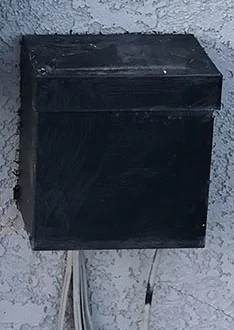
Landscape-lighting transformer; its label identifies output and capacity.
Backup & connected systems
Landscape lighting transformer
Often a small outdoor-rated cabinet near the house with landscape-lighting cables leading away. It may include a timer or photocell. Decorative garden lights alone do not show the transformer rating or whether the whole installation is suitable outdoors.
Types, warning signs & next steps
What it does
Supplies the voltage required by compatible low-voltage landscape lights. Transformer capacity, cable routes, connected lights and controls must be planned as one system.
Know the differences
Transformer systems can offer simple switching, timers, daylight sensing or smart zones. Output and load ratings vary. A landscape transformer is not automatically suitable for pool lights, doorbells or LED strips.
What you may notice
An entire zone going dark, uneven brightness, intermittent operation or a timer losing its schedule can have several causes. Damaged cables and water entry need attention. Avoid adding more lights simply because a spare connection appears available; total load and voltage drop matter.
What to tell Guardian
Share the transformer label if safely visible, the number of affected fixtures and recent landscaping or lighting changes. Keep the cabinet closed. Distinguish one failed light from a whole zone when describing the problem.
Further information: www.kichler.com · www.kichler.com

Bullet-style exterior camera; power and recording arrangements vary.
Backup & connected systems
Security camera and camera power
A lens sits in a bullet, dome, turret or doorbell-style housing. Cameras may connect through Ethernet, separate power wiring or batteries. A wireless data connection does not necessarily mean the camera has no power wiring.
Types, warning signs & next steps
What it does
Captures the planned view and connects to the chosen recording or monitoring system. Power, network reliability, mounting position and lighting all influence useful coverage.
Know the differences
PoE cameras can receive power and data through suitable Ethernet equipment. Other models use separate supplies or batteries. Indoor/outdoor ratings, recording arrangements and viewing needs should drive selection.
What you may notice
Repeated offline alerts, missing recordings, night-image glare or condensation can involve different causes. A camera outage is not automatically a wiring fault. A damaged housing or exposed cable warrants attention; avoid climbing or opening powered equipment to investigate.
What to tell Guardian
Share the camera model, alert, whether other cameras still work and the areas you want covered. Guardian can define wiring, power and agreed setup work, with account access and recording choices discussed separately.
Further information: www.axis.com · www.axis.com
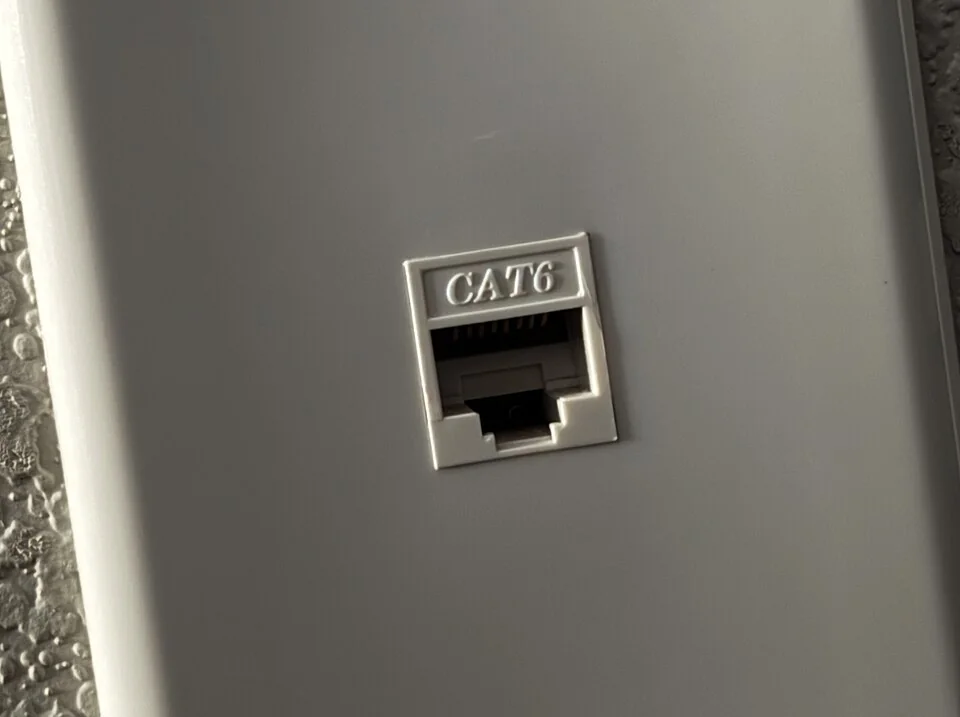
CAT6 Ethernet wall jack.
Backup & connected systems
Ethernet wall jack
A small rectangular socket in a wallplate accepts an Ethernet plug. It can resemble a telephone connection, so the label and actual wiring matter. A visible jack does not prove it is connected to an active network.
Types, warning signs & next steps
What it does
Provides a wired network connection to equipment such as a computer, access point or camera. The cable, terminations and network equipment together determine supported operation.
Know the differences
Category 6 and Category 6A components serve different performance requirements. Wall jacks, patch panels and network switches play different roles. A matching connector alone does not establish the cable's category or tested performance.
What you may notice
One room losing its connection, a loose port or intermittent service may involve the jack, patch cable or network equipment. Slow internet can also originate with the provider or router; replacing in-wall cable is not automatically the answer.
What to tell Guardian
Identify the room, device and whether other connections work. Share existing network labels and intended use without opening electrical boxes. Guardian can define cable installation and testing separately from internet-provider or account support.
Further information: Leviton product guidance · Leviton product guidance
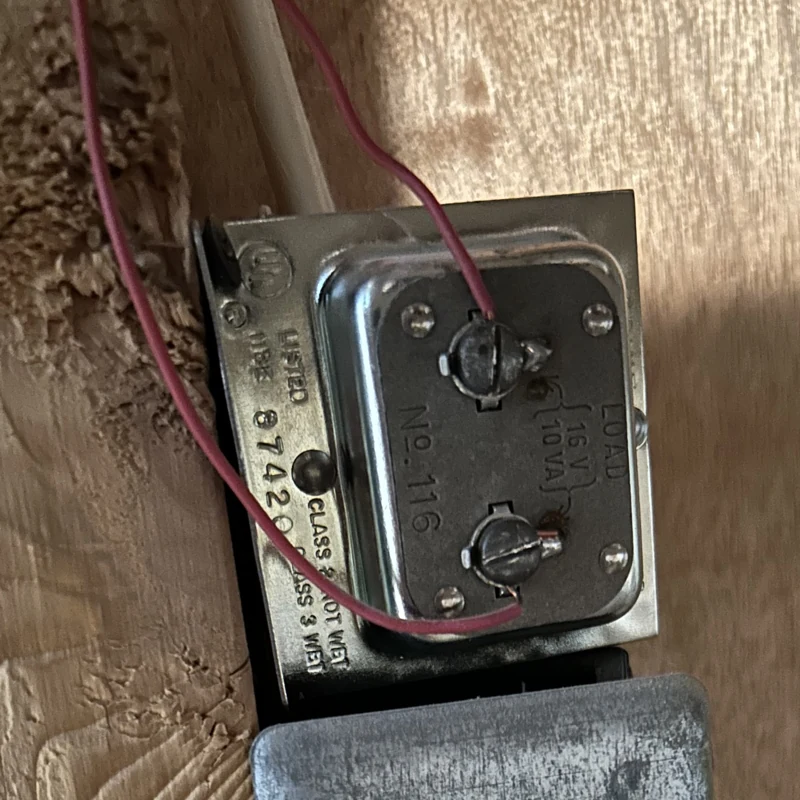
Doorbell transformer with low-voltage terminals; ratings and mounting vary.
Backup & connected systems
Doorbell transformer
A small labeled transformer supplies certain wired doorbells, sometimes mounted near a junction box or incorporated into other equipment. It may be out of sight. Recognize it from an existing label or record, not by opening a box or touching terminals.
Types, warning signs & next steps
What it does
Provides the specified low-voltage supply for a compatible doorbell arrangement. Both output voltage and available power must match the doorbell and associated equipment.
Know the differences
Traditional chimes, wired video doorbells and plug-in power arrangements have different requirements. Some models do not support an existing chime. A transformer that powered an older bell may not suit a new video doorbell.
What you may notice
A doorbell rebooting, reporting insufficient power or failing to ring the chime can involve compatibility, supply or network issues. Buzzing or unusual heat requires assessment. Do not assume a transformer change will solve a Wi-Fi or app-account problem.
What to tell Guardian
Send the exact doorbell model, current chime details and any power warning from the app. Leave electrical covers in place. Guardian can assess the supply and agreed setup before selecting replacement equipment.
Further information: ring.com · shop.ring.com
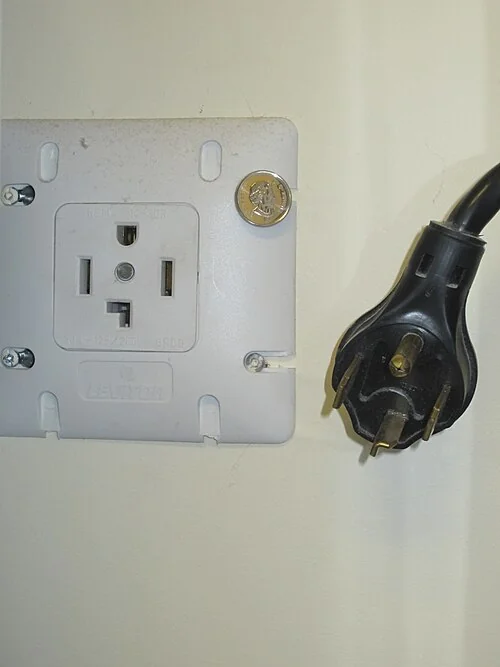
Four-wire NEMA 14-30 dryer connection; equipment and circuit must match.
Backup & connected systems
Appliance outlet and electrical connection
An appliance may use an ordinary receptacle, a larger dedicated receptacle or a hardwired connection behind a cover. Plug shape alone does not establish circuit capacity. Use the appliance model and installation information to identify its requirements.
Types, warning signs & next steps
What it does
Delivers the electrical supply specified for the appliance. Circuit capacity, conductor arrangement, protection and connection method must suit the equipment and installation.
Know the differences
Dryers, ranges, ovens, dishwashers, water heaters and HVAC equipment can require different supplies. A replacement appliance may differ from the old one. Hardwired and cord-connected models are not universally interchangeable.
What you may notice
Repeated trips, intermittent heating, a discolored connection or power loss when equipment starts can involve the appliance or building wiring. Stop using a visibly damaged or overheating connection. Do not use a plug adapter or larger breaker to work around an incompatible installation.
What to tell Guardian
Share the exact appliance model, existing connection photo if accessible without moving heavy equipment, and whether the issue started after replacement. Guardian can assess the electrical supply; internal appliance repairs may require its service technician.
Further information: www.geappliances.com